Ludovic Marie
206b91e8aa
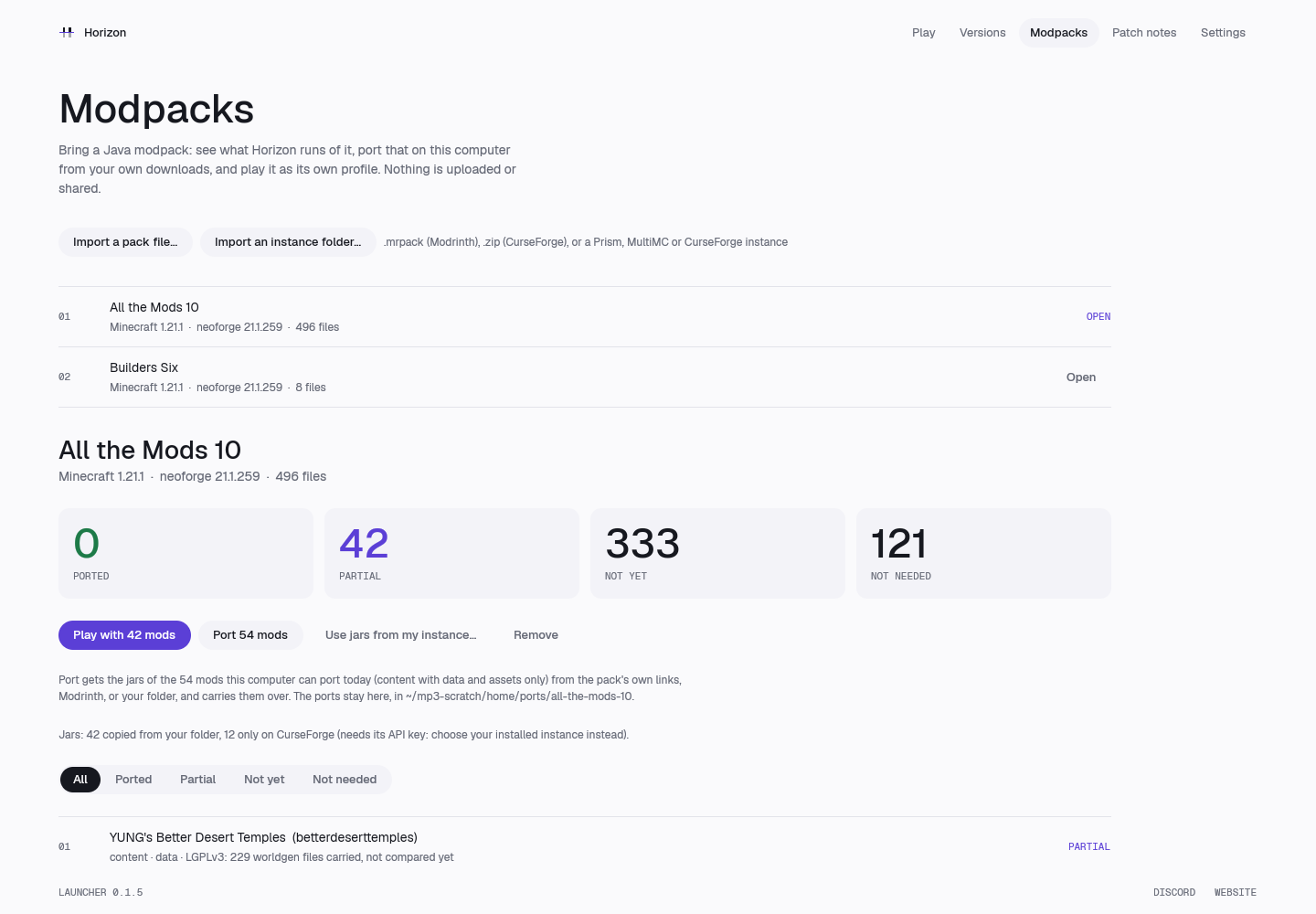
A Modpacks page between Versions and Patch notes (docs/modpacks.md, the
working version's launcher step):

- Import a pack file (.mrpack, CurseForge zip) or an instance folder (Prism,
  MultiMC, CurseForge): horizon-port-pack's import, inventory (Modrinth by
  file hash) and report into ports/<slug>/ in the game's home.
- The coverage report: ported, partial, not yet and not needed, with every
  mod's class, tier, licence and reason, filtered by status.
- Port: the portable mods' jars (content, data tier) the player's own way
  (their folder, the pack's links, Modrinth's CDN; what only CurseForge has
  needs its key and is said so), carried over for the selected version's
  prepared tables; the pipeline's log shows while it runs.
- Play: the game as the pack's own profile, ports/<slug>/home/ (its saves,
  options.txt copied from the player's the first time) with the carried-over
  mods as dev mods. The session flow is shared with Play (start_client).
- The same from the command line: horizon-launcher modpack list | import |
  port | play | remove.

Nothing is uploaded or shared; jars and ports stay in the game's home.

Co-Authored-By: Claude Opus 5.5 <noreply@anthropic.com>
111 KiB
1440x1000px
111 KiB
1440x1000px